
List it on IMDb
IMDb takes festival awards from the festival's event page.
-
Step 1: Find the Nominee toolkit
On your film's page, under the laurels, is the Nominee toolkit. It has a ready-made announcement to copy, and "Add it to IMDb".
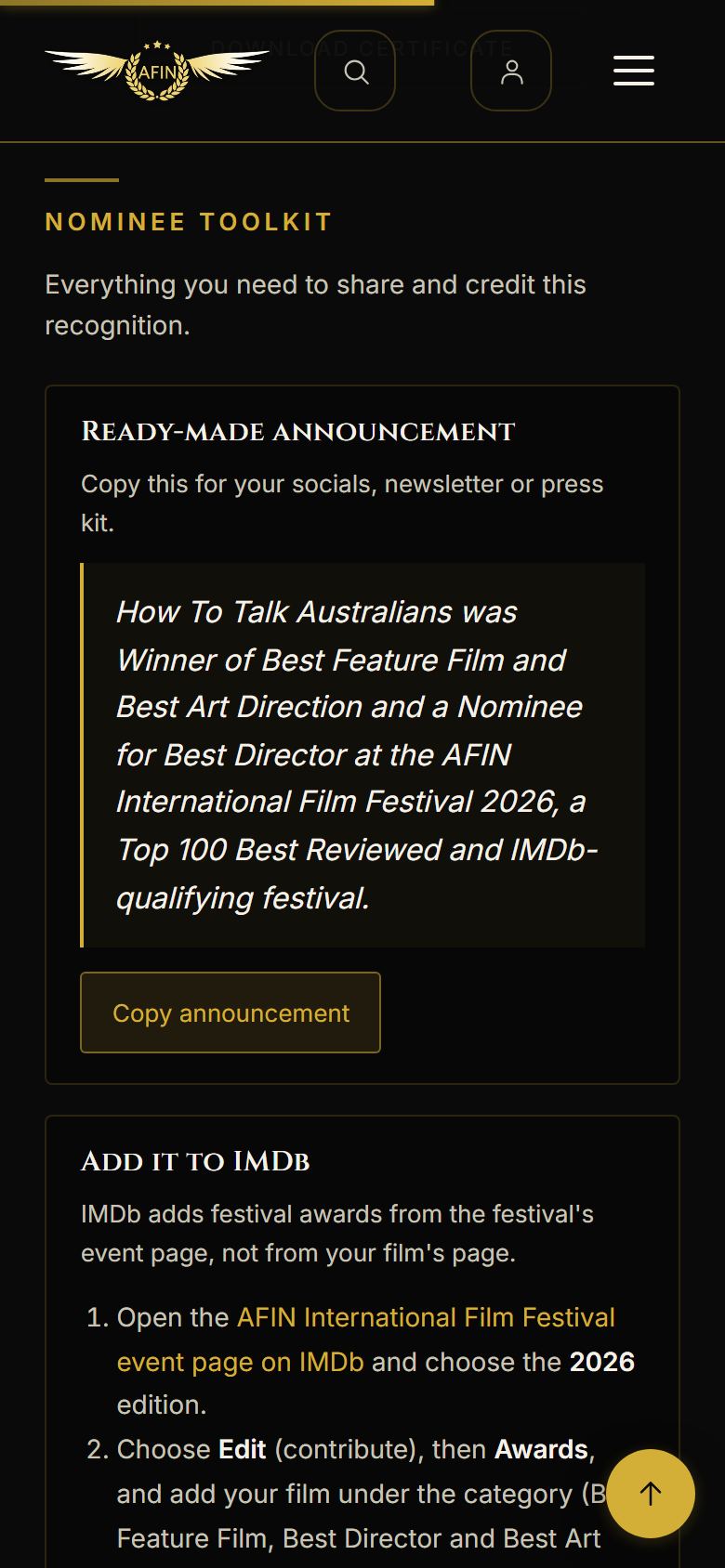
On a phone, from afinfestival.com -
Step 2: Open the AFIN event on IMDb
Open the AFIN International Film Festival event page on IMDb and choose your year's edition. For 2026 that is imdb.com/event/ev0035448/2026/1/.

On a phone, from afinfestival.com -
Step 3: Add the award
Choose Edit, then Awards, and add your film under its category with the outcome on your laurel: a winner is "Winner", a nominee "Nominated". Submit it, and IMDb reviews it before it appears.
Finalist placings are not IMDb awards; nominations and wins are.