
Claim your page
The MAKE IT YOURS button: set up your account and your page is yours.
-
Step 1: Open the link from your letter
Press MAKE IT YOURS in the letter. The page opens with "Your page is yours" and tells you whose account you are setting up, with a link to view the page. If it is not you, or not your page, do not continue: reply to the letter and we will sort it out.
-
Step 2: Fill in four things
Your email (use the address the letter came to), your name as you would like it shown, and a password of at least 12 characters, typed twice. Two boxes are unticked and optional: "List me in the AFIN Directory" and "Send me member news". Then press "Set up my account".
-
Step 3: You are in
You are signed in and taken to your account, on its Your AFIN tab. Nothing is emailed to you. In a private browsing window you see "You are set up" and a Sign in button instead.
-
Step 4: Already have an AFIN account?
If that address already has an account, the page asks you to sign in first. Sign in, then press "Set up my account" again. It ends on "This page is now yours", and your password has not changed.
-
Step 5: If the link no longer works
An old or incomplete link shows no form, only a note that the page opens from a link we send you. If it is not working, reply to that email and we will sort it out.
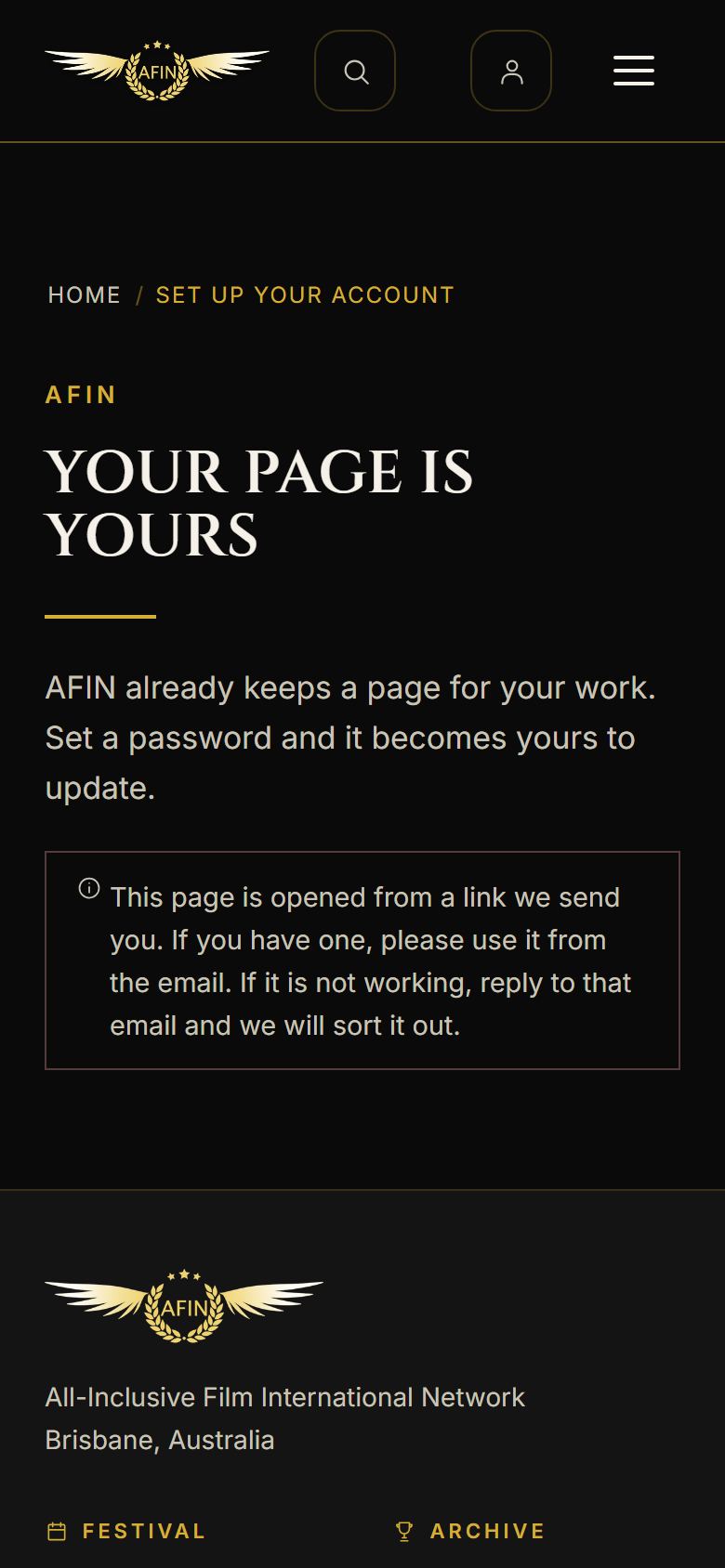
On a phone, from afinfestival.com
Each link in a letter works until the date the letter gives. If one lapses, reply to the letter and we will send another.